
A service product is something you sell that is not shipped, such as consultations, repairs, or installation. In WooCommerce, you add it as a simple product and mark it as virtual.
Video Tutorial
Watch the video below for a step-by-step demonstration.
Follow these Quick Steps
- Log in to your WordPress admin dashboard with your username and password.
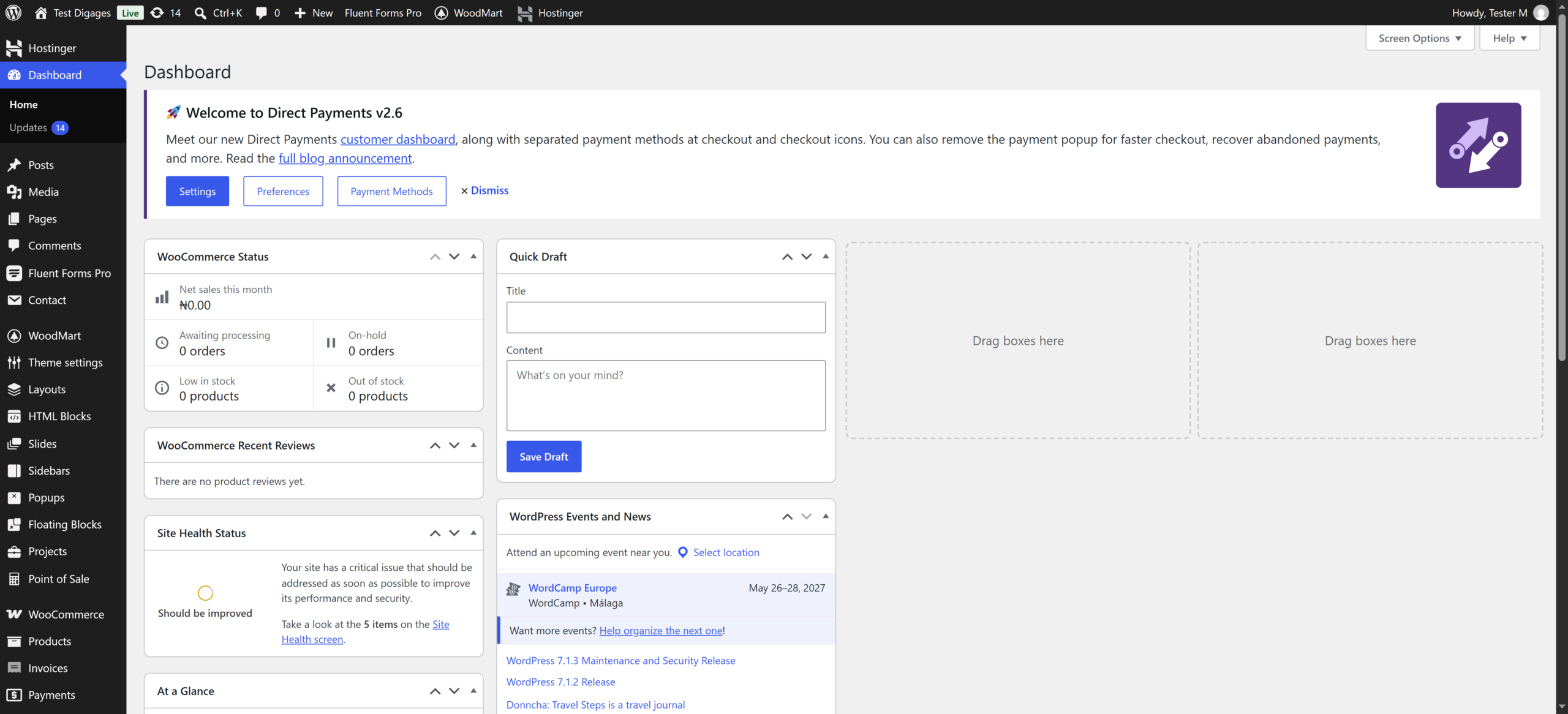
- Go to Products > Add New.
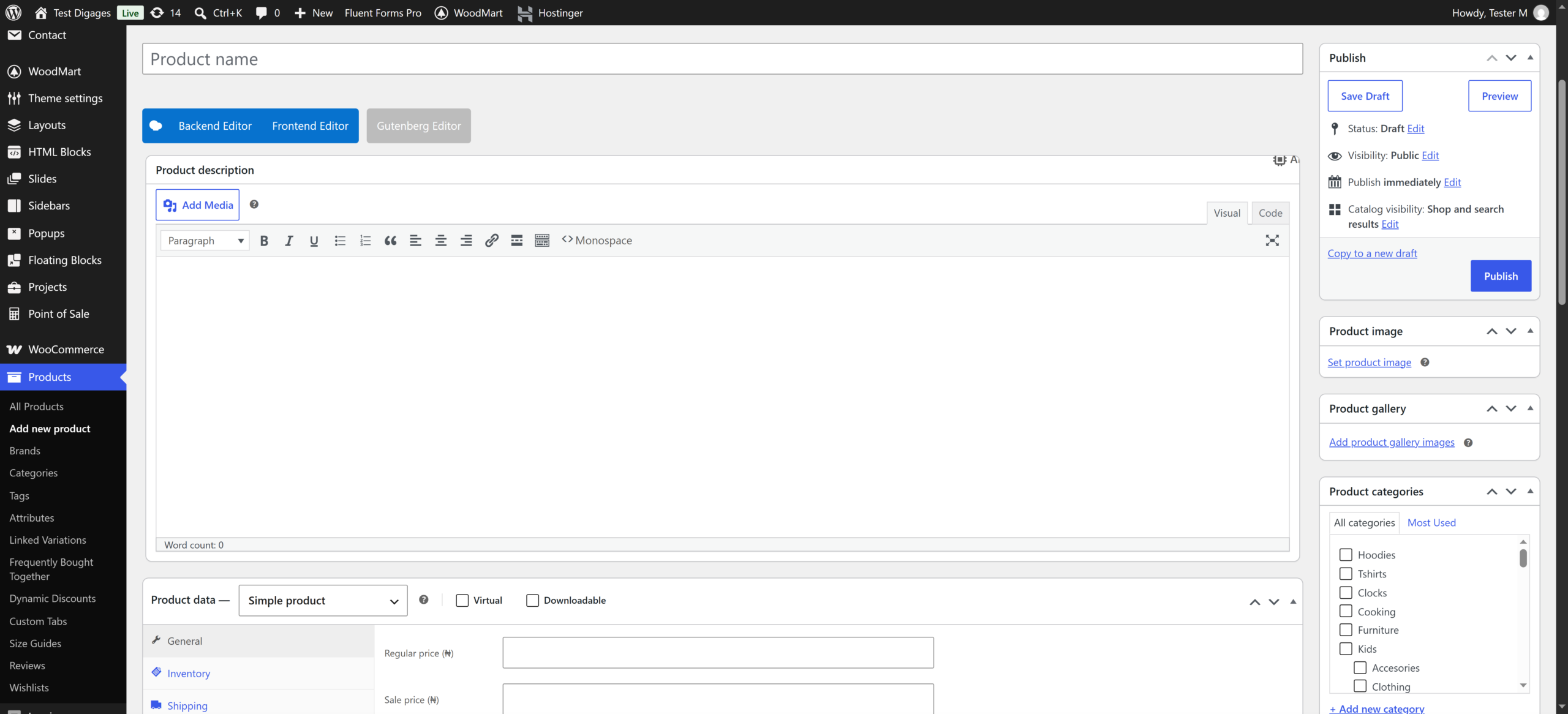
- Enter the service name (for example, Website Consultation).
- Describe what the customer gets in the main description box.

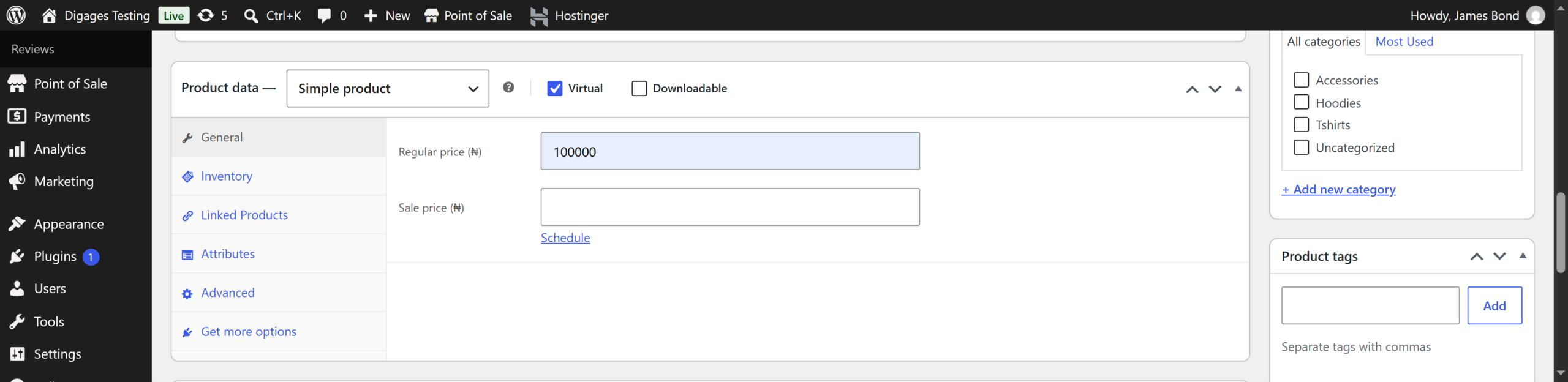
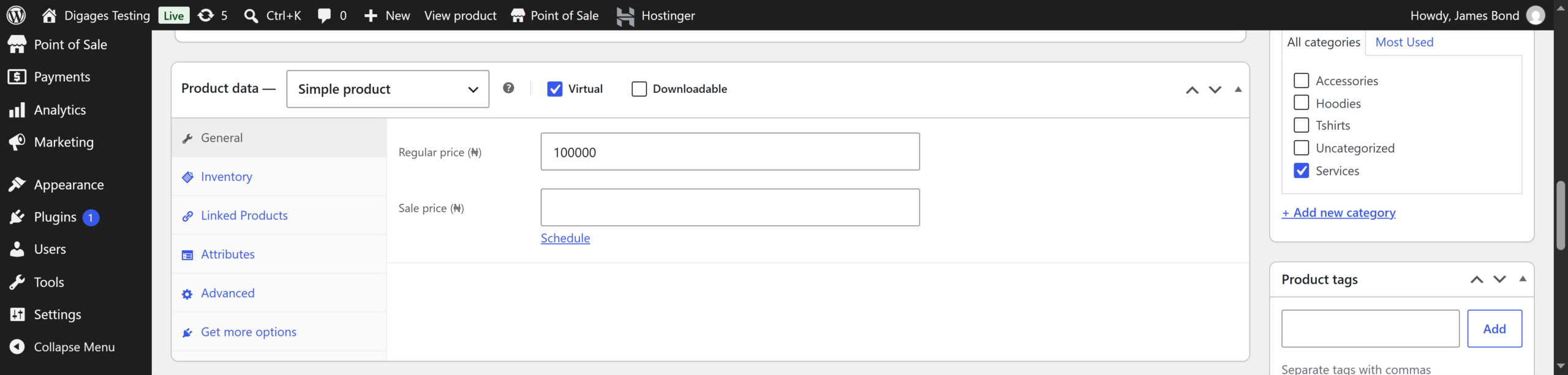
- Scroll to Product data and select Simple product.
- Tick the Virtual box. This removes shipping for the product.
- Enter the Regular price.
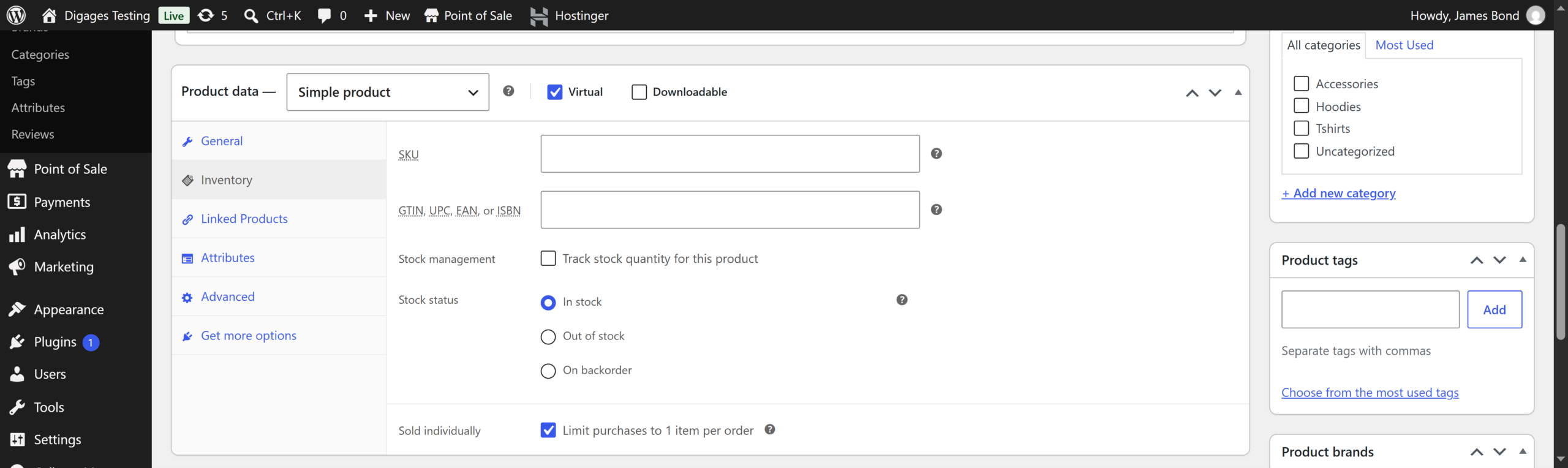
- Click the Inventory tab. Tick Sold individually if a customer should only buy it once per order.
- Under Product categories, select or add a category (for example, Services).
- Click Set product image and upload an image.
- Add a Product short description with the key details of the service.
- Click Publish.
